
GIF Background Remove
Explore a transparent GIF sample, compare its frames, and download the animation.
Choose a sample GIF to preview.


Drag to compare · checkerboard shows transparency.
See the Difference
Same GIF, same crop, same moment — only the background is gone. Press Play Comparison to inspect the motion.

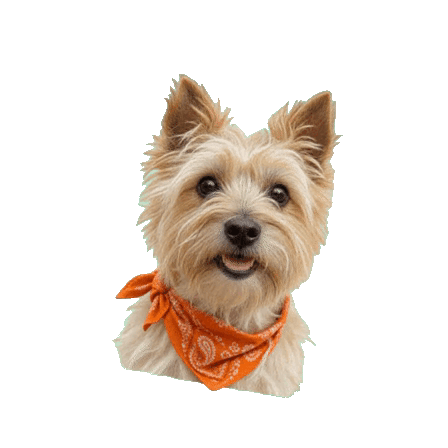
448 × 448 px · 36 frames · 1.8s · Loops forever
How to Make a GIF Transparent
Three steps to remove the background from a GIF without losing animation.
Upload your GIF
Choose an animated GIF from your device, drag and drop it onto the card, or paste it straight from your clipboard (up to 15 MB, 10 seconds, and 300 frames).
Remove the background
Our cloud AI video-matting model removes the background across every frame while keeping smooth motion, variable frame delays, and your original loop count.
Download your GIF
Preview the live animation over light, dark, black, or white backdrops to check edge quality, then download your transparent or solid-color GIF with no watermark.
Common places people use transparent GIFs
Removing the rectangular backdrop makes an animated GIF usable on dark themes, slides, product pages, and video overlays.
Discord, Slack & Telegram reactions
- Most reaction GIFs come with a solid box or studio wall behind the subject. Cutting that out turns a clip into a sticker or custom emoji that works on both light and dark chat backgrounds.
OBS, Twitch & YouTube overlays
- Drop a dancing character, alert badge, or spark effect straight onto a stream scene or video track without covering the gameplay or camera underneath.
Product pages & banners
- Place a spinning sneaker, gadget, or 3D logo directly on your page color instead of matching a separate background box for every light or dark layout.
Slides & UI prototypes
- Use short looping icons or reactions in PowerPoint, Keynote, or Figma without a contrasting rectangle sitting behind the motion.
Email campaigns & web pages
- Video tags still fail in many email clients, while GIF89a plays almost everywhere. A transparent GIF drops onto colored email headers and cards without extra editing.
Sprites, pixel art & docs
- Pull an animated character or effect off a sky or flat color background while keeping sharp pixel edges and the original frame speed for wikis, changelogs, or demos.
Why a photo background remover isn't enough for GIFs
Running an animated GIF through a normal still-image cutout tool usually creates two headaches: edges flicker from frame to frame, and the exported file plays at the wrong speed.
Frame-to-frame consistency
We process your GIF with a video background-matting model that looks across neighboring frames instead of treating every frame as an unrelated photo. Stray hair, pet fur, and moving hands stay steady across the loop instead of popping in and out.
Original frame delays and loop count
A lot of GIF tools overwrite every frame to a single fixed delay (like 100 ms), which ruins intentional pauses or turns a play-once animation into an endless loop. We read each frame's exact delay and the NETSCAPE2.0 loop header from your upload and write them back to the export.
Check edges before downloading — or swap to a solid color
GIF transparency is strictly 1-bit per pixel (either fully transparent or fully opaque), so a fringe that looks fine on white can show up on black. You can switch the preview between light grid, dark grid, black, and white before saving—or export a White, Black, or Green background locally in your browser at no extra credit cost.
Auto-deleted within 1 hour
Uploaded GIFs are sent over HTTPS solely to run the background removal job. Source files and processed outputs expire and are deleted within 1 hour, and are never shown publicly or used for model training.
FAQ
What does GIF Background Remove do?
It removes the background from an existing GIF and exports a transparent animated GIF. Every frame is processed with AI background matting, and you can preview the result in motion before downloading.
Can I remove a GIF background without losing the animation?
Yes. The exported GIF still plays. Our pipeline preserves the animation frames, per-frame timing (including variable frame delays), and original loop setting—whether your GIF loops forever, plays once, or repeats a fixed number of times.
Is it free? Do I need a subscription?
You can try sample GIFs and process one of your own GIFs per day for free, without an account or watermark. Additional cloud processing is available through monthly plans or one-time credit packs.
How long does it take?
Most GIFs finish in 10 to 35 seconds. A short 2–3 second GIF typically finishes in 10–15 seconds, while a 10-second HD GIF can take 30–45 seconds depending on server queue and frame count.
What kinds of backgrounds can I remove?
AI background removal handles solid colors, green screens, and busy real-world backgrounds—including people, pets, products, 3D stickers, and pixel art. Because GIF transparency is binary per pixel, edges are cleaned to reduce halos, though soft motion blur or fine hair will look crisper than in video.
What are the file limits?
Each GIF can be up to 15 MB, up to 10 seconds long, up to 2,000 pixels on the longest side, and up to 300 frames. These limits keep cloud AI processing fast and reliable.
What happens to my uploaded GIF?
Your GIF is uploaded securely over HTTPS solely to remove its background with our AI model and return your transparent GIF. Uploaded files and processed results are automatically deleted within 1 hour, and are never shared publicly or used for training.
How do I remove a white or green screen background from a GIF?
Just upload the GIF as usual—no color-picking or manual chroma-key sliders required. Our AI automatically detects and removes solid white, black, colored, unevenly lit green-screen, and complex real-world backgrounds while protecting white highlights or green clothing on the subject.
Why do transparent GIFs sometimes have slight halos, and how can I check them?
The GIF format only supports 1-bit transparency, meaning every pixel must be either 100% transparent or 100% opaque with no partial alpha blending. Our pipeline cleans semi-transparent boundary pixels to minimize halos, and you can toggle Light Grid, Dark Grid, Black, and White backdrops in the preview stage to verify edges against the exact background where you plan to use the GIF.
Will the transparent GIF work in Discord, Slack, PowerPoint, and Canva?
Yes. Every download is a standard GIF89a animated file with a valid transparent color index and preserved loop metadata, so it plays natively with transparency in web browsers, Discord, Slack, Telegram, PowerPoint, Keynote, Figma, Canva, OBS, and major email clients.
Can I replace the GIF background with white, black, or green instead of transparent?
Yes. You can choose Transparent, White, Black, or Green before processing—or remove the background to Transparent first and then switch to White, Black, or Green right from the result panel. Switching solid colors after a transparent cutout runs locally in your browser and uses zero extra credits.